Run your social media with AI agents on Claude, ChatGPT, Cursor, Claude Code, OpenClaw, Grok
Connect your AI assistant, then just tell it what to post. It writes the posts, makes the images and schedules them. You approve everything first.
3-day free trial · No charge until day 4 · Cancel anytime
Publish to Instagram, YouTube, X, LinkedIn, Facebook, Threads, Pinterest, Bluesky, Mastodon, Telegram, Discord, Dev.to, Hashnode, WordPress.

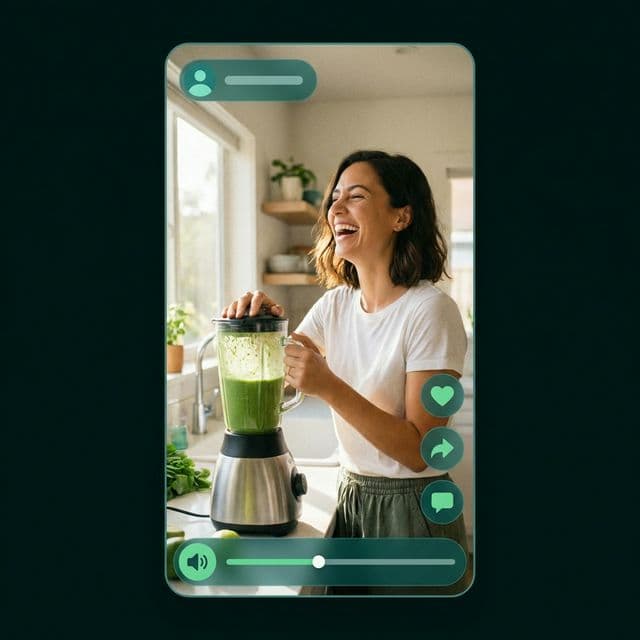
From one idea to a full week of posts, in three steps
No more juggling a writing app, a design app and a scheduler. Everything happens in one place.
- Step 1
Tell us what you post about
Share your topic, your audience and your style once. CreatorHyve remembers them for every post.
Your posts always sound like you.
- Step 2
AI makes the posts
Get captions, images, thumbnails and short videos for each platform, ready in one go.
Not happy with one? Ask for a change and it updates right away.
- Step 3
You review, we publish
Check the posts on your calendar, change anything you like, and they go out on schedule.
Your whole week is planned before lunch.
Works with the AI tools you already use
Talk to your favourite AI assistant and let it handle your posting. It can draft and schedule, and you always get the final say.
- Claude
- ChatGPT
- Cursor
- Claude Code
- OpenClaw
- Grok
- VS Code
- and any app that supports MCP
Ask your AI assistant
Connect Claude, ChatGPT or Cursor, then just say "schedule three posts about our launch". It uses your CreatorHyve account to do it.
Use our built-in assistant
Open the chat inside CreatorHyve. Ask it to make an image, find a post, or start a weekly plan. No setup needed.
Connect your own tools
Using other apps or your own code? Our API and webhooks let them create posts and tell you when they go live.
Assistants can save drafts and schedule posts, but they can't publish instantly, and you set a daily limit on what they can spend.
See how to connectEverything for your posts, in one app
Your calendar, images, videos, brand style and assistant all work together, so nothing gets lost between steps.
See every post on every platform, and move it to a better time in one click.
See every post on every platform, and move it to a better time in one click.
One place
Create, plan and publish without switching apps
Always you
Your style is applied to every post
A week at once
Plan the whole week in a single sitting
The value shows up when the workflow gets lighter
These are the outcomes creators talk about most: less tool-switching, more consistency, and more time back.

Sarah Johnson
YouTube Creator · @sarahjcreates
“CreatorHyve helped me grow from 10K to 100K subscribers in just 6 months. The AI thumbnails are incredible and the calendar keeps me consistent.”
10K → 100K in 6 months

Marcus Chen
Content Strategist · @marcuschen
“I was spending 15+ hours a week on content planning. Now it takes me less than 2 hours. This tool is a game-changer for creators.”
Saves 13 hours/week

Emily Rodriguez
Social Media Manager · @emilyrodriguez
“Managing 5 clients used to be overwhelming. The brand kit and AI tools make it effortless to maintain consistency across all accounts.”
Managing 5 clients effortlessly

James Patel
Short-form Creator · @jamespatelofficial
“The viral clip generator is unreal. I went from 2K to 80K followers in 3 months just by posting the clips it creates for me. Worth every penny.”
2K → 80K followers

Lucia Morales
Instagram Influencer · @luciamorales
“My engagement rate doubled after I started using CreatorHyve's content calendar. Posting consistently has never been this easy.”
2x engagement rate

David Kim
Podcast Host · @davidkimshow
“Repurposing podcast episodes into short clips and thumbnails used to take my whole team. Now I do it solo in under an hour.”
Team of 3 → solo in 1 hr

Priya Nair
Educational Creator · @priyateaches
“I used to dread content creation. Now I actually enjoy it because CreatorHyve handles all the boring stuff, leaving me to focus on teaching.”
3x content output

Tyler Brooks
Gaming Streamer · @tylerbrooks_gg
“The thumbnail AI knows exactly what makes gamers click. My CTR jumped from 4% to 11% — that's thousands of extra views per video.”
CTR 4% → 11%

Aisha Osei
Lifestyle Blogger · @aishaosei
“I finally feel in control of my content. The weekly planning feature with AI suggestions means I never stare at a blank screen wondering what to post.”
Never missed a post in 4 months

Carlos Reyes
Fitness Coach · @coachcarlos
“Between training clients and running my online course, I have zero time. CreatorHyve basically runs my social media presence for me.”
Grew to 50K while working full-time

Hannah Muller
Travel Vlogger · @hannahexplores
“I'm always on the road with spotty wifi. The fact that I can batch-create a month of content in one sitting is a complete lifesaver.”
Batch-schedules 30 days at once

Noah Williams
Finance Creator · @noahfinance
“My audience grew 40% in two months after I started using the AI-optimized posting times and captions. The data-driven approach really works.”
40% audience growth in 2 months
2,500+
Active creators
50K+
Assets generated
20+
Hours saved weekly
4.9/5
Average rating
Ready to plan your next week of content?
Start free, make your first caption and thumbnail in minutes, and add scheduling when you are ready.
3-day free trial · No charge until day 4 · Cancel anytime